Voice is the fastest capture method. You speak 150 words per minute. You type 40. For lectures, meetings, walking thoughts, and shower ideas, voice is unmatched. But voice notes are useless if you cannot search them. Glassy's Voice Studio closes that gap — record, transcribe, index, and search, all locally in your browser.
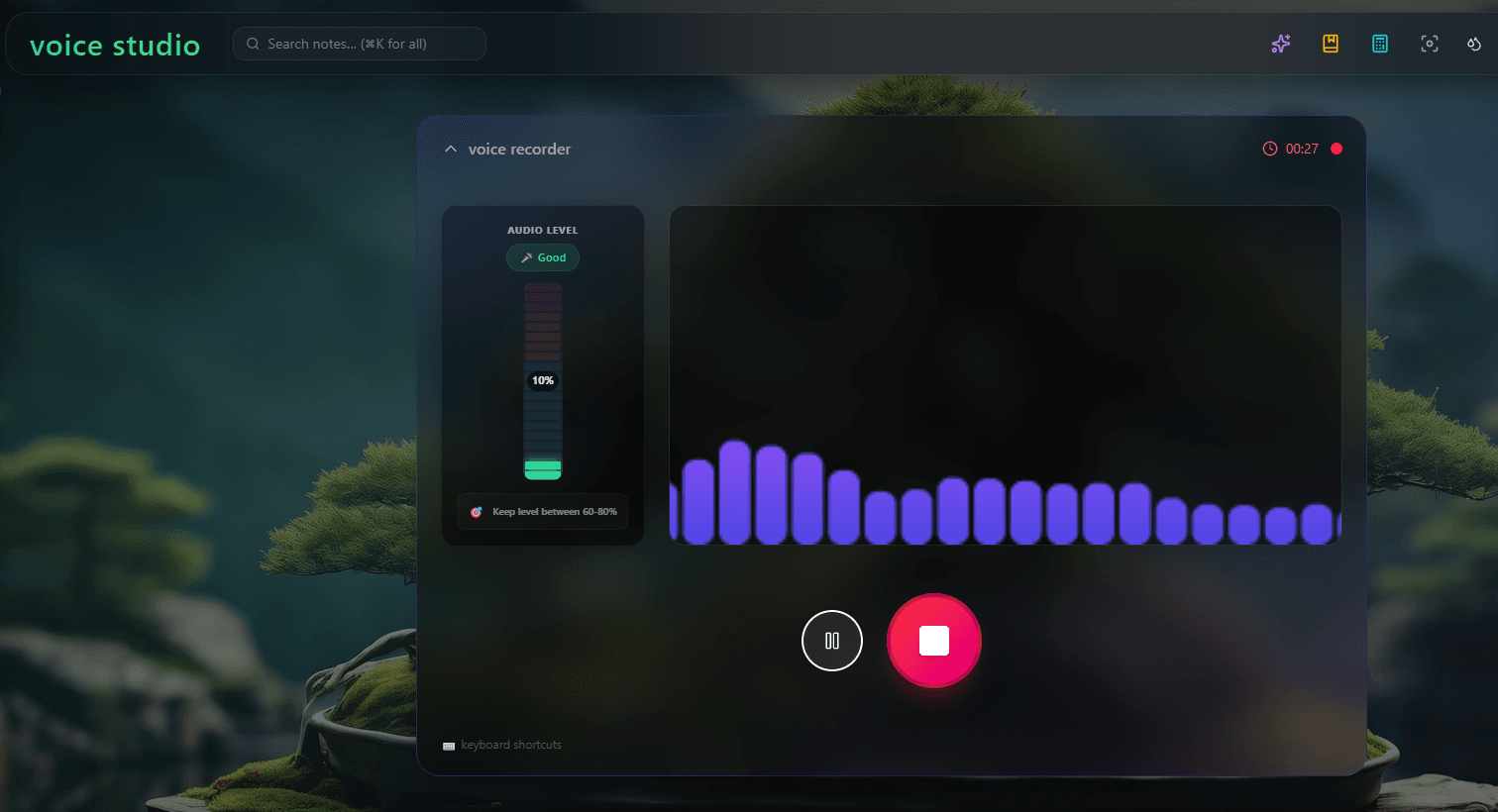
How it works
- Record — Click the microphone button in Glassy. The browser's MediaRecorder API captures audio from your microphone. Audio stays in the browser — it is never uploaded.
- Transcribe — Whisper (base.en model, compiled to WebAssembly) runs on your GPU via WebGPU. The model is about 140 MB, loaded on first use and cached in IndexedDB. Transcription happens in real-time on most hardware.
- Save — The transcript is saved as a Markdown note with frontmatter (date, duration, audio file reference). The audio file is stored on the Glassy server (or your Docker host) so you can replay it later.
- Index — The transcript is automatically indexed with hybrid search — BM25 for keywords, vector embeddings for semantic matching. Your spoken words are now searchable by meaning.
- Query — Ask Claude Desktop about your voice notes via MCP. "What did I say about the Q3 roadmap in my walking meeting last Tuesday?" Claude searches your transcripts and returns the answer with a citation.
Why local transcription matters
Cloud speech-to-text APIs (Google, Azure, OpenAI Whisper API) are good. They are also expensive ($0.006-$0.024 per minute), they require sending your audio to a third-party server, and they have rate limits. For a student recording 10 hours of lectures per week, that is $3.60-$14.40 per week in API costs. For a professional recording daily meeting notes, it adds up fast.
Local Whisper has none of these problems. No per-minute cost. No audio leaving your device. No rate limits. The model runs on your GPU, uses zero bandwidth, and works offline. See local AI vs cloud AI for the broader architecture, and privacy-first AI in practice for why this matters for sensitive content.
The WebGPU pipeline
Whisper in the browser is possible because of three technologies working together:
- WebGPU — The browser API that gives web pages direct access to the GPU. This is what makes running a neural network in a browser tab practical. See WebGPU in 2026.
- WebAssembly (WASM) — Whisper.cpp, the C++ implementation of Whisper, is compiled to WASM. This allows native-speed execution in the browser.
- IndexedDB — The 140 MB model is cached in IndexedDB after first load. Subsequent sessions load from cache in seconds, not minutes.
Performance
On a 2024-era laptop with an integrated GPU (M2 MacBook Air, Intel Iris Xe), Whisper base.en transcribes at roughly 1x real-time. A 60-minute lecture takes about 60 minutes to transcribe — but since transcription starts immediately, the transcript is ready by the time the lecture ends.
On machines with discrete GPUs (NVIDIA RTX, Apple M3 Pro+), transcription runs at 5-10x real-time. A 60-minute lecture transcribes in 6-12 minutes. The model loads in 3-5 seconds from cache.
Use cases
- Lecture capture — Record lectures, get searchable transcripts. See Glassy for students.
- Meeting notes — Record meetings (with consent), get transcripts indexed alongside your other notes.
- Walking thoughts — Capture ideas while walking, driving, or cooking. Your hands are free. Your thoughts are saved.
- Voice journaling — Speak your daily journal. It becomes searchable text without typing.
- Accessibility — For users who cannot type or prefer voice input, Voice Studio is a full alternative to the keyboard.
The research capture loop
Voice Studio is part of Glassy's broader research capture loop — save, index, query, cite. Voice is one of several capture methods (browser extension, manual notes, Obsidian sync, RSS) that feed into the same indexed corpus. The loop closes when you query your voice transcripts via MCP and get cited answers from Claude or Cursor.