Glassy Self-Host
Run it on your own machine.
The same software as the cloud, in a single Docker container. Free with any Glassy account — the pairing token is the only thing that ever leaves your box.
Free account required · Beta, under active development · Single-user by design
What you keep.
Every feature
Notes, Keep, Calc, Voice Studio, calendars, Canvas, agents — the same software, not a stripped build.
Your storage
The appliance has no quota. It is your disk; we have no opinion about it.
The full agent lane
All 42 MCP tools, named per-agent keys, durable memory, no call budget.
Your keys
BYOK for OpenAI, Anthropic, Gemini, or a local Ollama. On-device AI needs no key at all.
Your vault
Live Obsidian sync works here and cannot work from our cloud — the server cannot reach your localhost.
Three steps. Ten minutes.
Make a free Glassy account.
Any account works — Free included. Mint a pairing token in Settings. That token is the only thing your instance ever sends us.
Pull the image and run it.
One Docker Compose file, one command. Your data lands in a local volume. Nothing is proxied through our servers.
Sign in locally and keep it.
The first boot prints a one-time password. Change it, and every login after that is your own SQLite database and your own JWT.
The honest part.
- What still reaches us
- A pairing check about every 30 days: your email and the token, nothing else. No note content, no password, no session.
- What you give up
- Our hosted backups, our uptime, and one-command updates. You run the box; when it breaks, it is yours to fix.
- What it costs
- Nothing. If you want the cloud and your appliance to talk to each other, that is the $79 Pair — or included with Pro yearly / an active Clear membership.
Glassy Self-Host is in beta. When it leaves beta, the single-user Docker build goes free on GitHub — permanently. Until then it already costs nothing to run; we are just still fixing things.
The installer
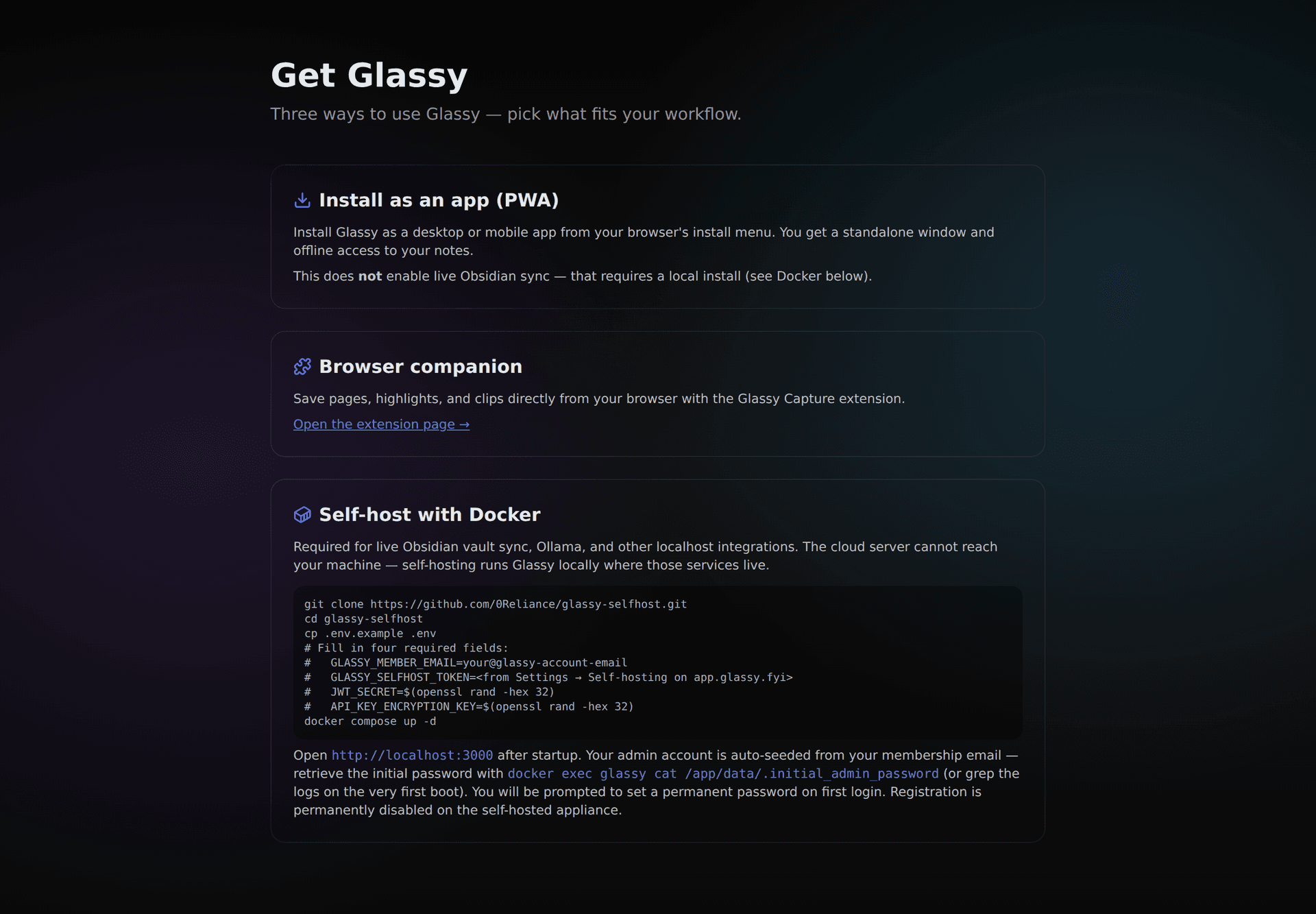
The install, exactly as it ships.
Three ways in: install the PWA, add the capture companion, or bring the stack up with Docker. No hidden step, no account gate on the self-hosted build.