GlassyCanvas · Mission Control
You and your agents, holding the same tools.
One workspace, one graph, one canvas — for you and your AI agents. The agent doesn't sit outside your work. It sits in it.
GlassyCanvas — a canvas for thinking that isn't linear.
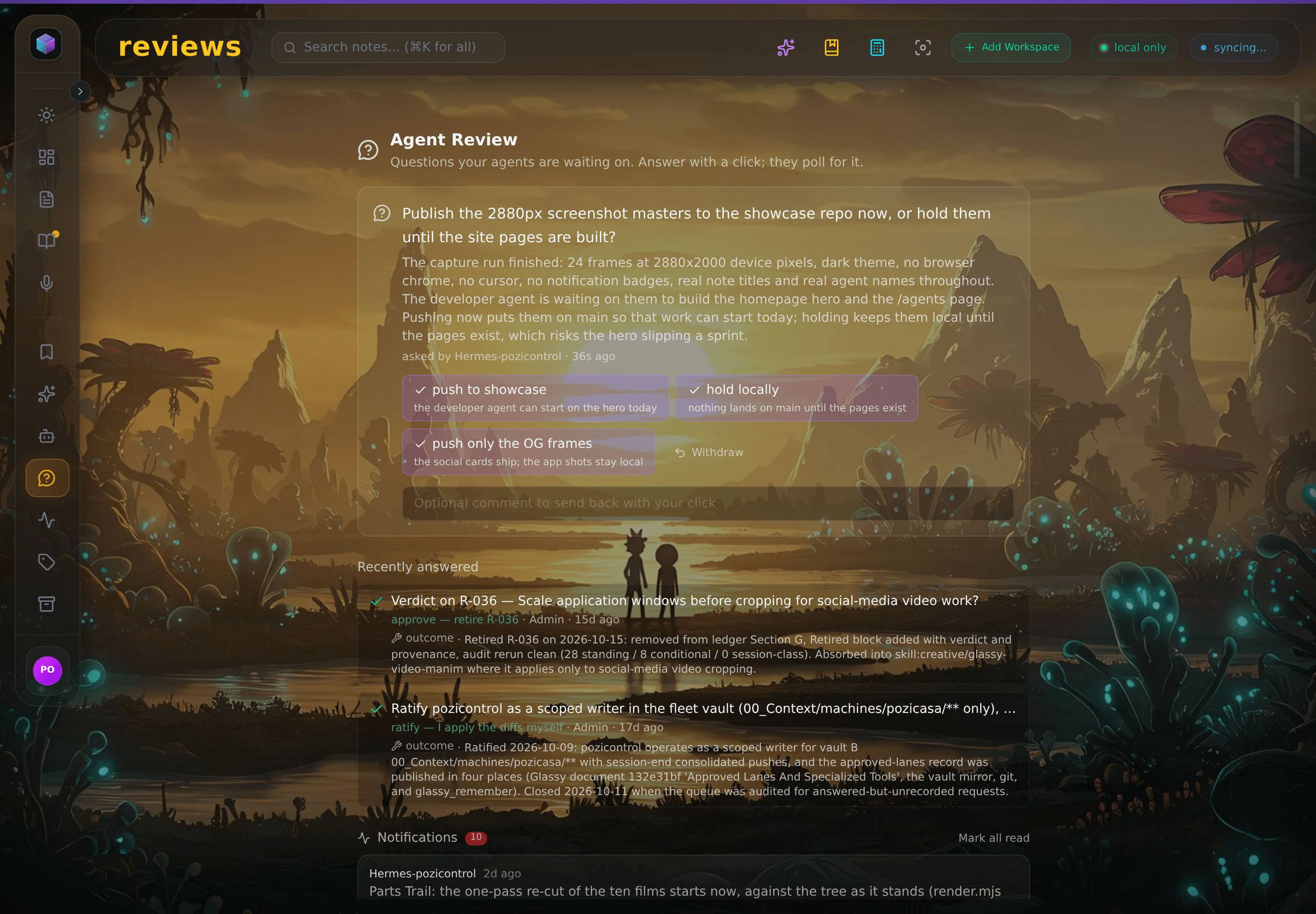
You and your agent work the same surface. Mission Control dashboards put the agent's work — plans, dispatches, reviews — where you can see it, steer it, and approve it.
Mission Control — the agent's work, where you can see it.
Dashboards for what your agents are doing: dispatched tasks, pending reviews, what they wrote and why. Not a black box — a cockpit.
The agent graph — your knowledge, connected.
The same graph you browse is the graph your agents query. Backlinks, tags, and semantic search over one graph — shared by both of you.
Workflows — repeatable, together.
Named workflows like the Glassy Capture Workflow chain capture → organize → summarize into routines you and your agents both run.
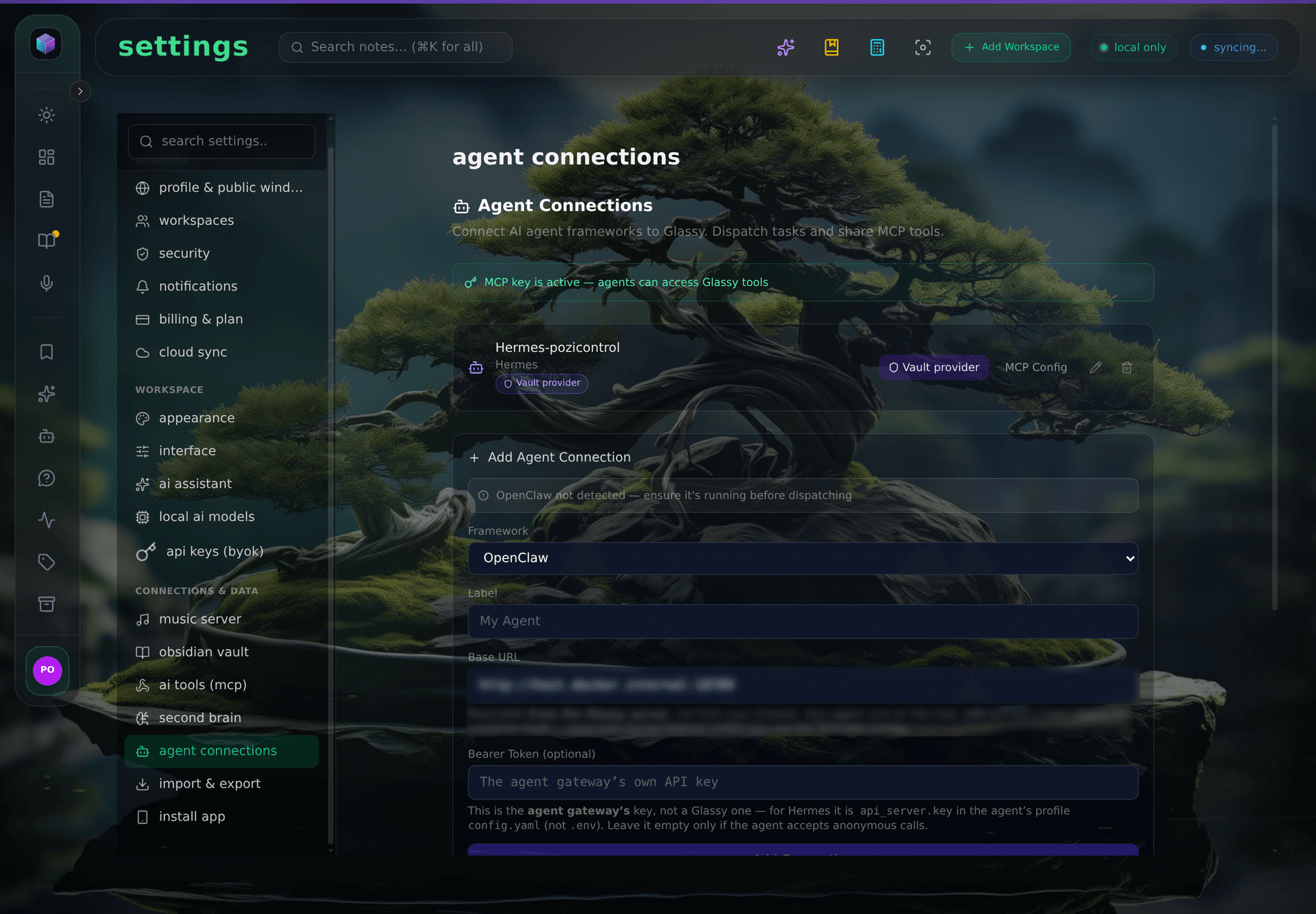
MCP + Agent Gateway — the tools your agents already use.
42 tools over the official MCP SDK, named agent keys with a pinned identity and durable agent memory, and dispatch to Claude, Cursor, Windsurf, and any MCP-compatible client.
Privacy that holds — your agents run on your terms.
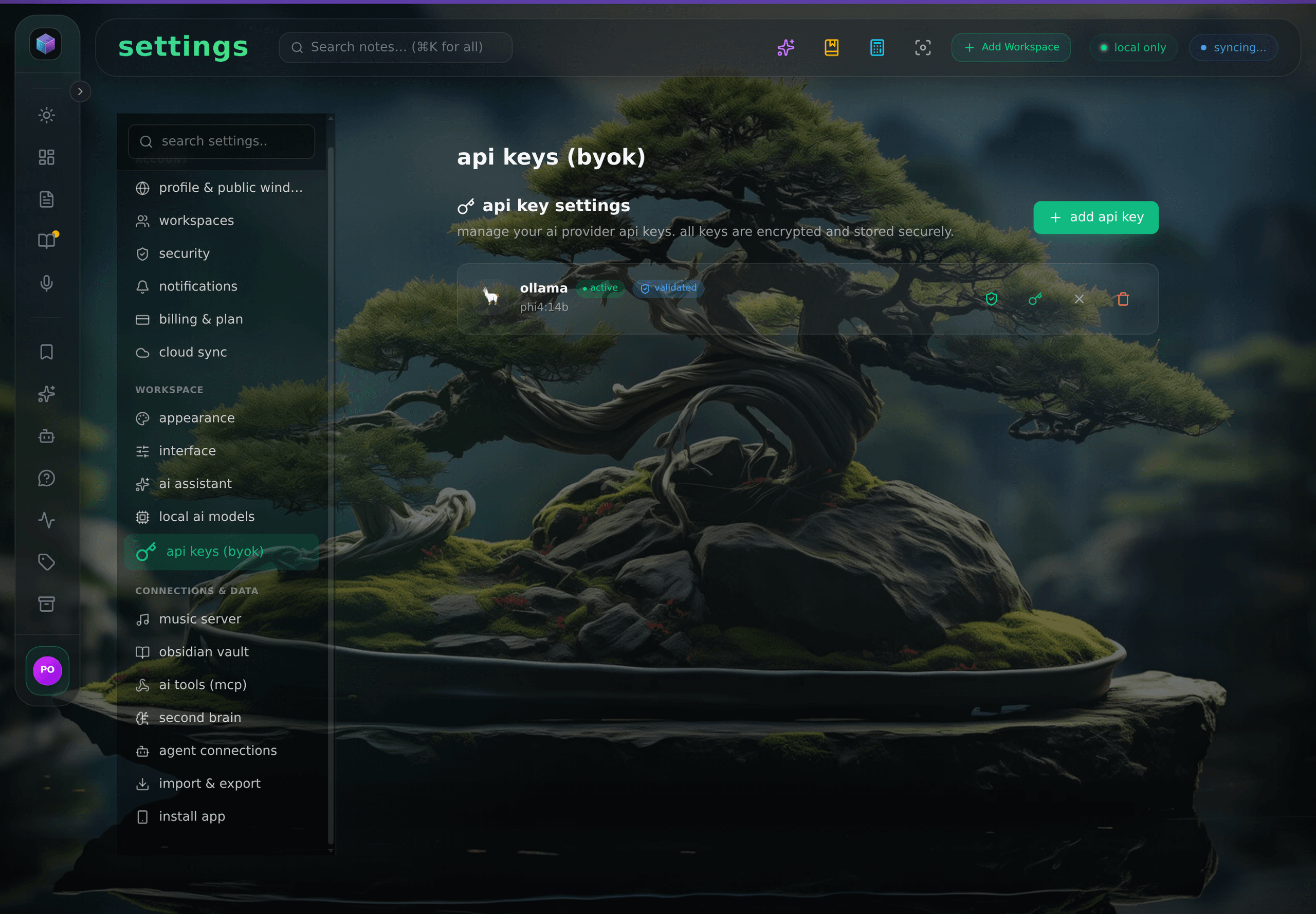
Local by default. Cloud AI only when you choose it. Your agents read your data because you let them — not because it lives in a cloud vector database.
One workspace. Two kinds of minds.
Not an AI assistant bolted onto a notes app. A second brain for you — and for your agents.
Start for Free →The app, live
Agents that ask before they act.
Every decision that needs a human lands in one queue, with the consequence of each choice written down. These frames come from a running instance, not a render.