Forty-seven tabs. Three of them important.
Save the page, not the tab. GlassyKeep tucks links into searchable collections — and the Glassy Capture extension does it in one keystroke.
The second brain for you and your agents.
The workspace for people who think in 47 tabs, 12 notebooks, and a phone full of unlabeled voice notes.
Same software, three places to run it: our cloud, your machine, or your own server — with no Glassy server in the path.
Local-first Files on your disk. Always. No tracking. No ads. No training. Markdown-native. Export anytime.
See Glassy in 100 seconds
You're not disorganized. You just have more ideas than a single tool can hold.
Save the page, not the tab. GlassyKeep tucks links into searchable collections — and the Glassy Capture extension does it in one keystroke.
Voice Studio transcribes locally with Whisper — your audio never leaves the browser. Search the transcript, not the silence.
Read-later that actually surfaces. GlassyKeep tags, summarizes, and groups by meaning — so the good ones come back to you.
One page for the daily note, the long doc, the quick capture, and the napkin idea. Your Second Brain indexes everything so you can query it from Claude, Cursor, Windsurf, OpenCode, Hermes, Openclaw, Pi, or any MCP agent. File-based. Portable. Yours next decade too.
Glassy isn't another app on the pile. It's the page you actually open.
Where it runs
Free and paid are not feature tiers here. They answer two questions: how much do we hold for you, and who is accountable when you publish.
A home appliance or your own server. No storage quota, no sync budget, no one reaching in. Free with any Glassy account.
Run it yourself →app.glassy.fyi, signed in to your own account. Every ability for everyone; a plan adds room, speed, and publishing.
See what a plan buys →Public windows served from our domain. Publishing needs a paid account, because public content needs someone accountable behind it.
How publishing works →Same software in all three. Your notes stay Markdown, and they leave with you.
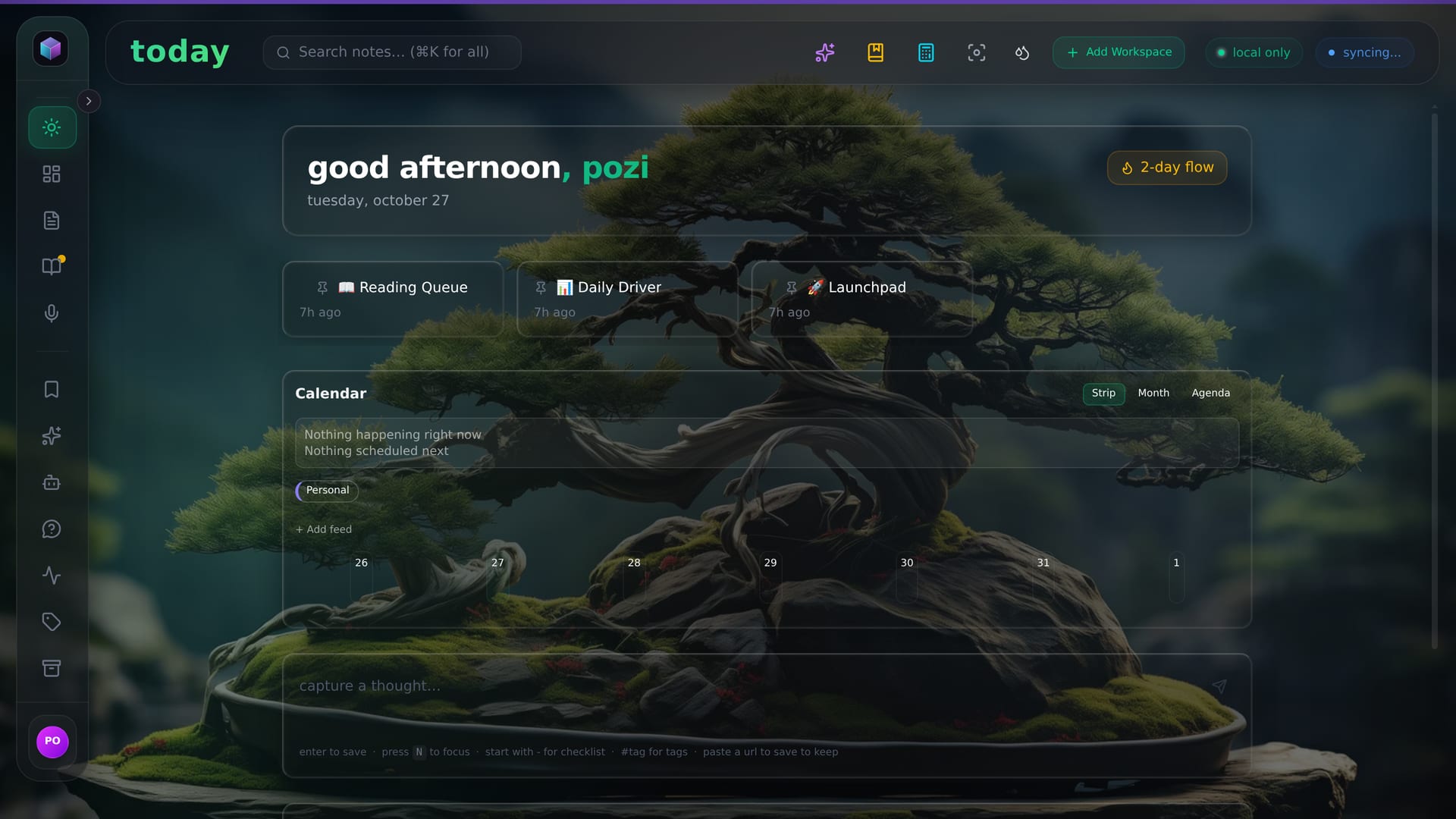
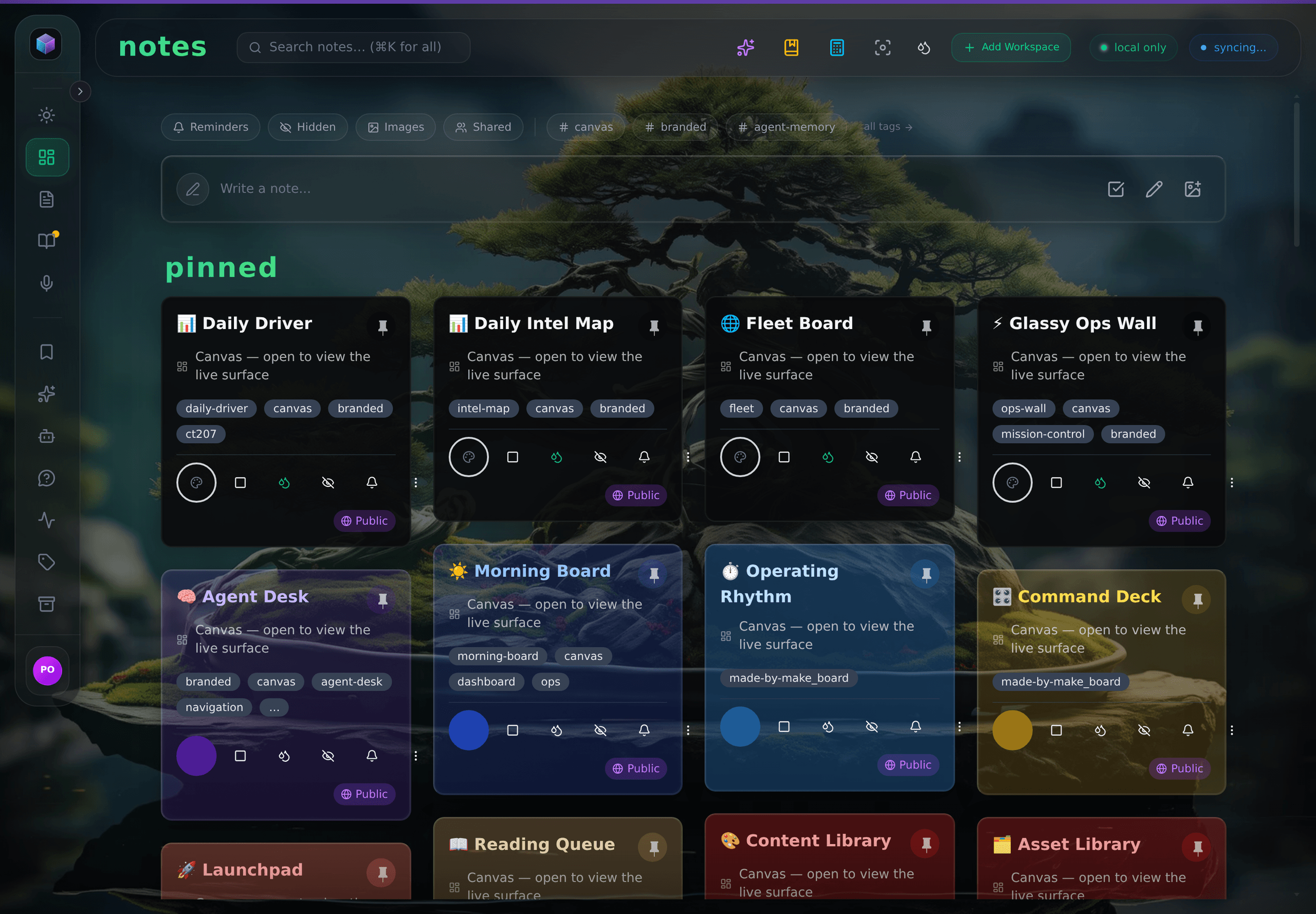
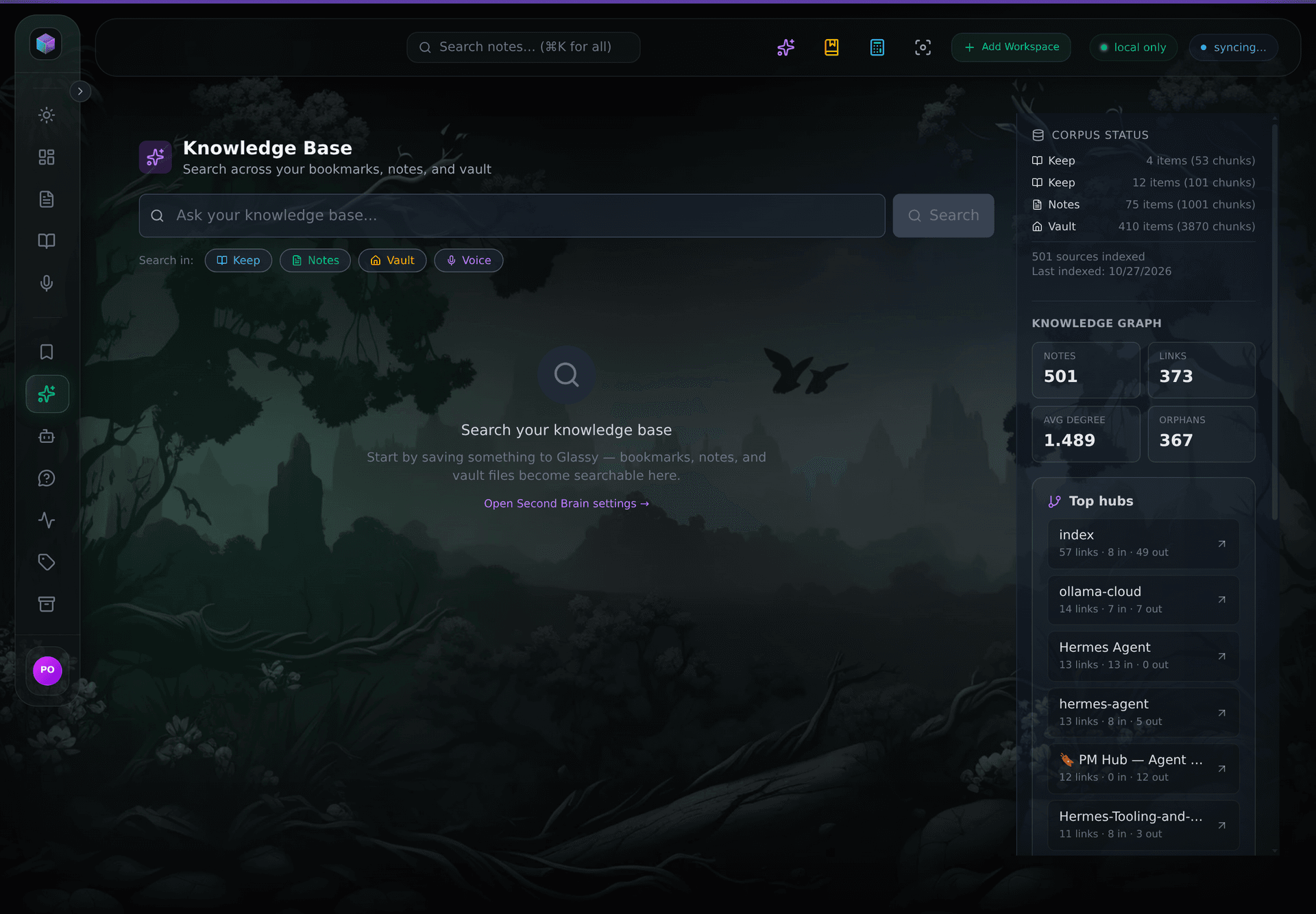
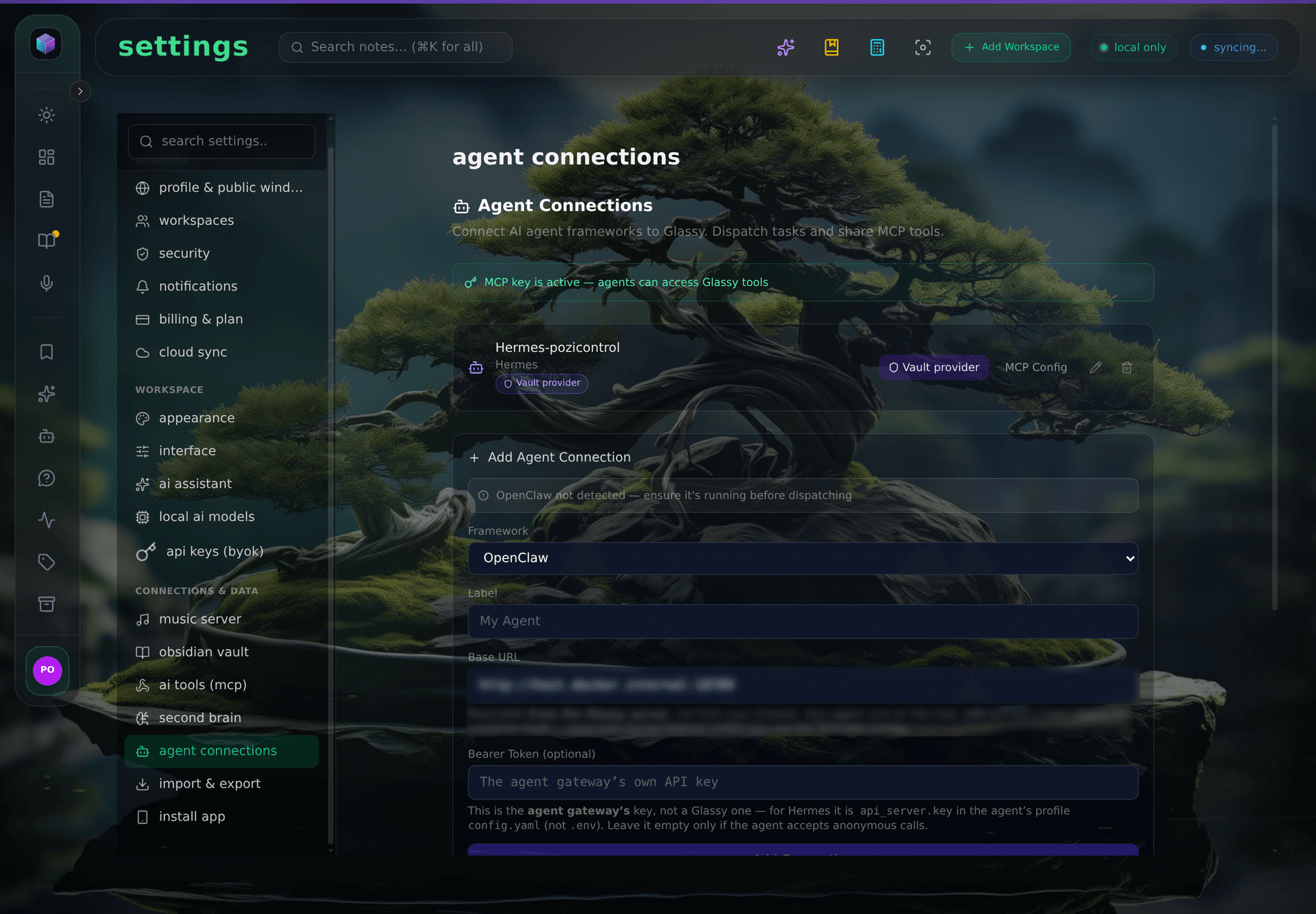
The actual app
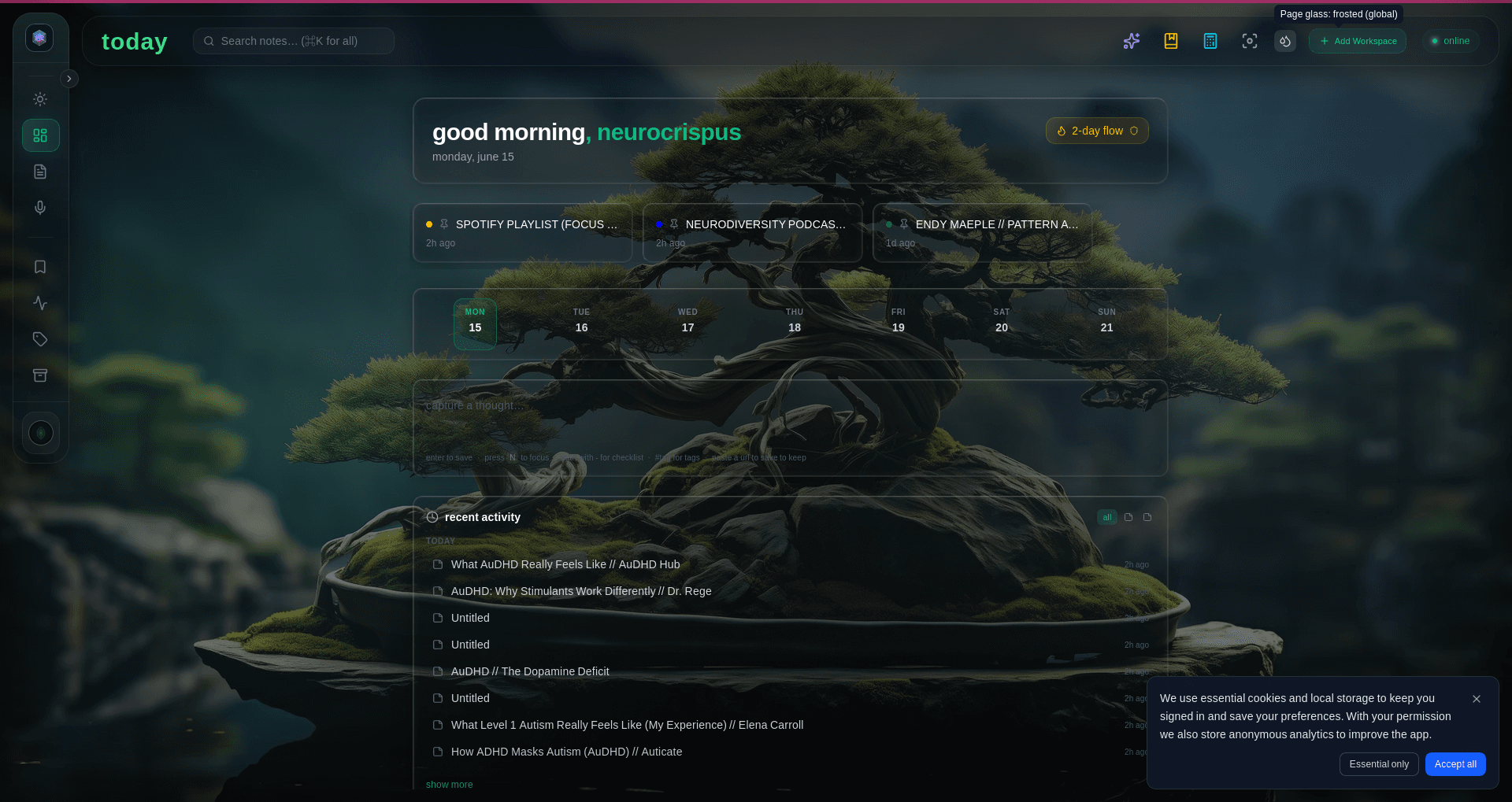
Real frames from a running Glassy: the notes you pinned, the graph your links made, and the pair that keeps the data yours.
Pick the workflow that already sounds like yours. Glassy meets you there — it doesn't ask you to convert.
Turn bookmarks, notes, and vault files into a searchable knowledge base. Query it from Claude, Cursor, Windsurf, OpenCode, Hermes, Openclaw, Pi, or any MCP agent — your data stays on your server.
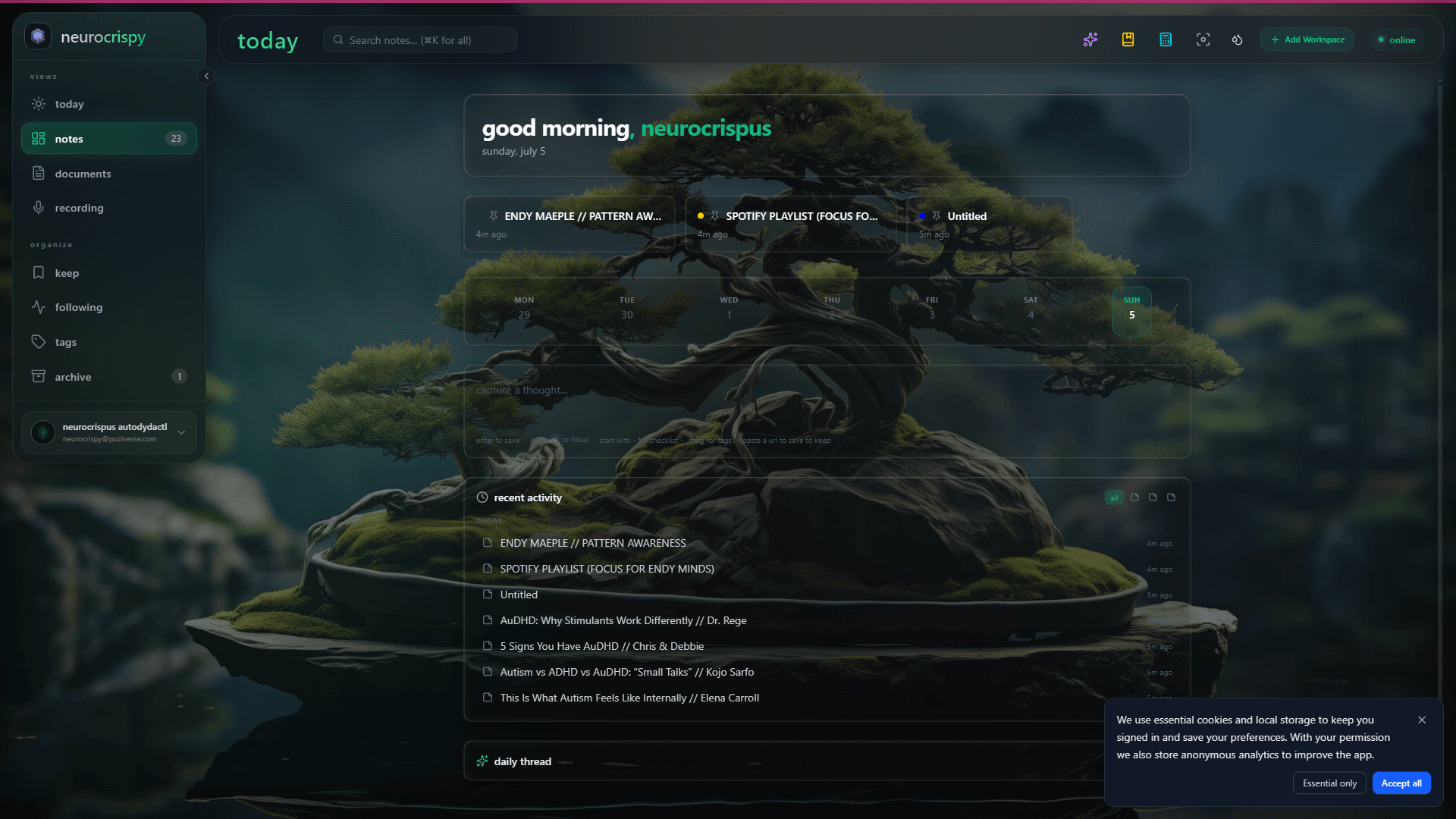
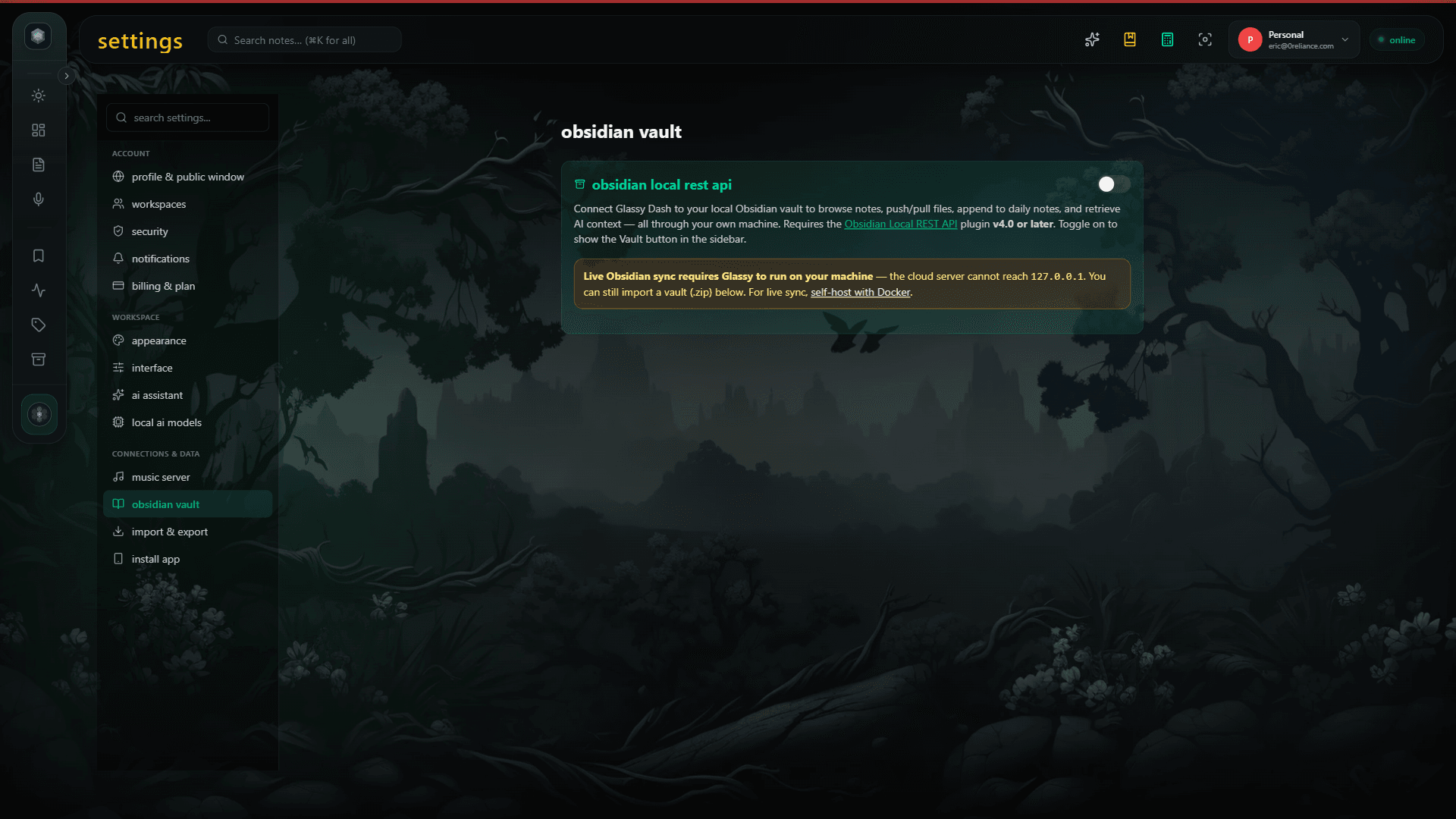
Keep your vault. Add a calm cockpit on top. Browse, search, push & pull from any browser — your Markdown stays Markdown.
Designed for brains that work in bursts. One-keystroke capture, reduced-motion respected, archive over delete. No streaks weaponized against you.
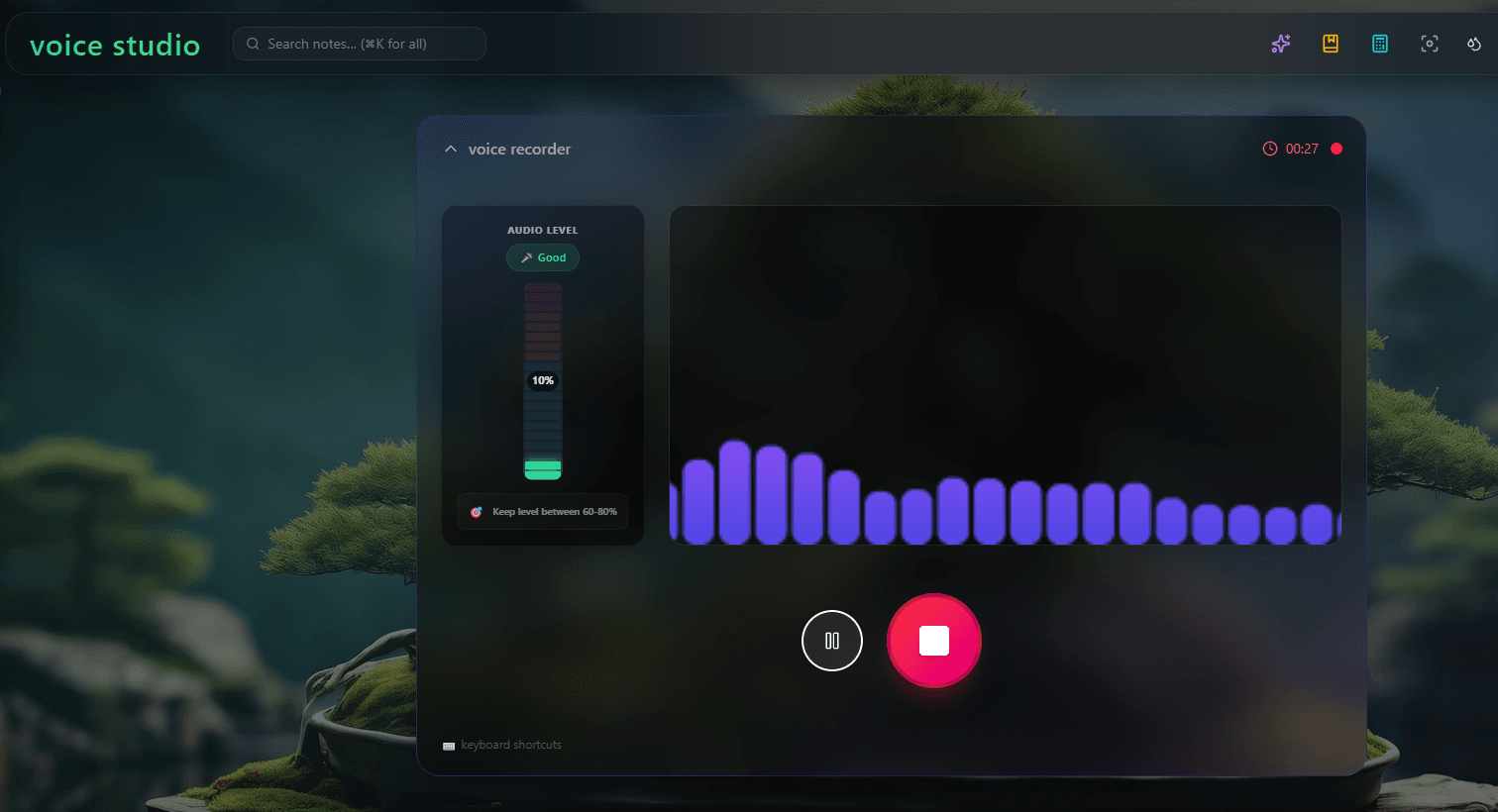
Local Whisper transcribes lectures — your audio stays in the browser. GlassyKeep summarizes sources. Search every note, doc, and recording by meaning.
A page that feels good to open. Slash-command editor, custom doc icons, rich embeds, and a publishing surface that doesn't look like a SaaS dashboard.
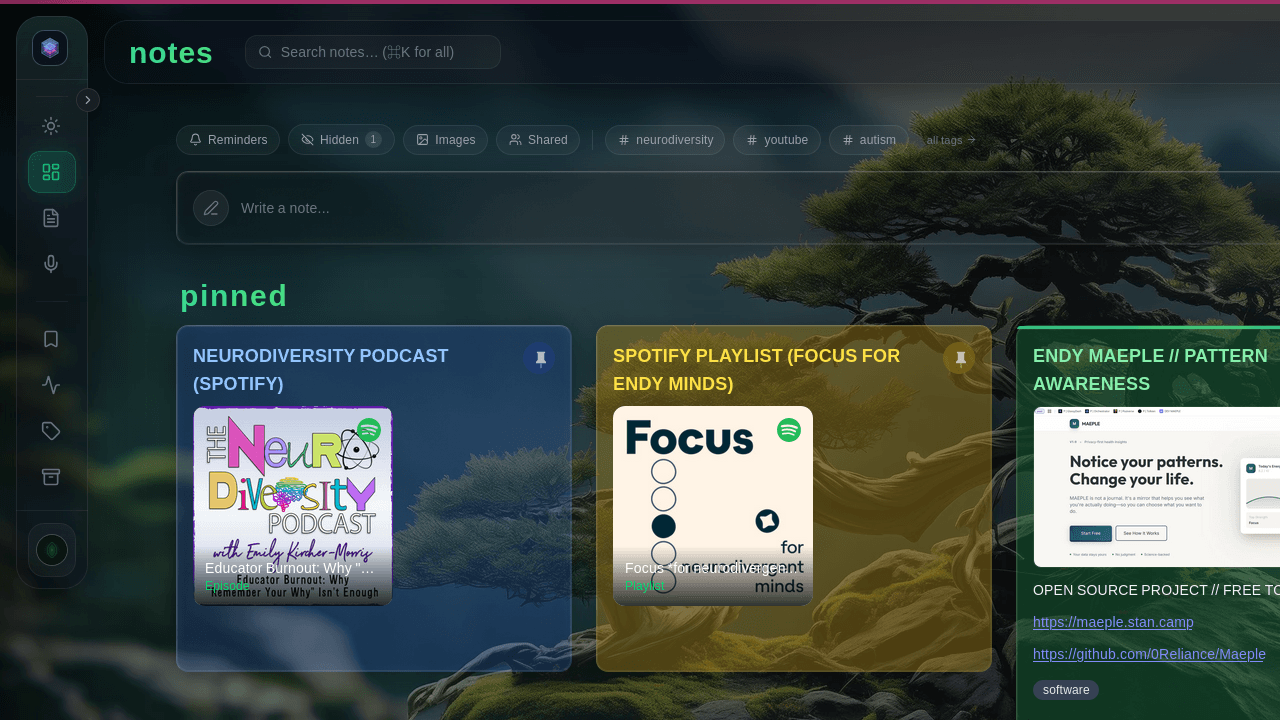
Capture, think, surface — in one calm page. Stop app-hopping. Start finishing.
Grammar, tags, summaries — free, local, forever
Qwen 2.5 and Whisper run inside your browser via WebGPU. Grammar fixes, tag suggestions, voice transcription — no API keys, no credits, nothing uploaded. Cloud AI is opt-in for the harder work, and every free account gets local AI for life. Your Second Brain knowledge base is queryable by Claude, Cursor, Windsurf, OpenCode, Hermes, Openclaw, Pi, and any MCP-compatible AI agent via a real MCP server.
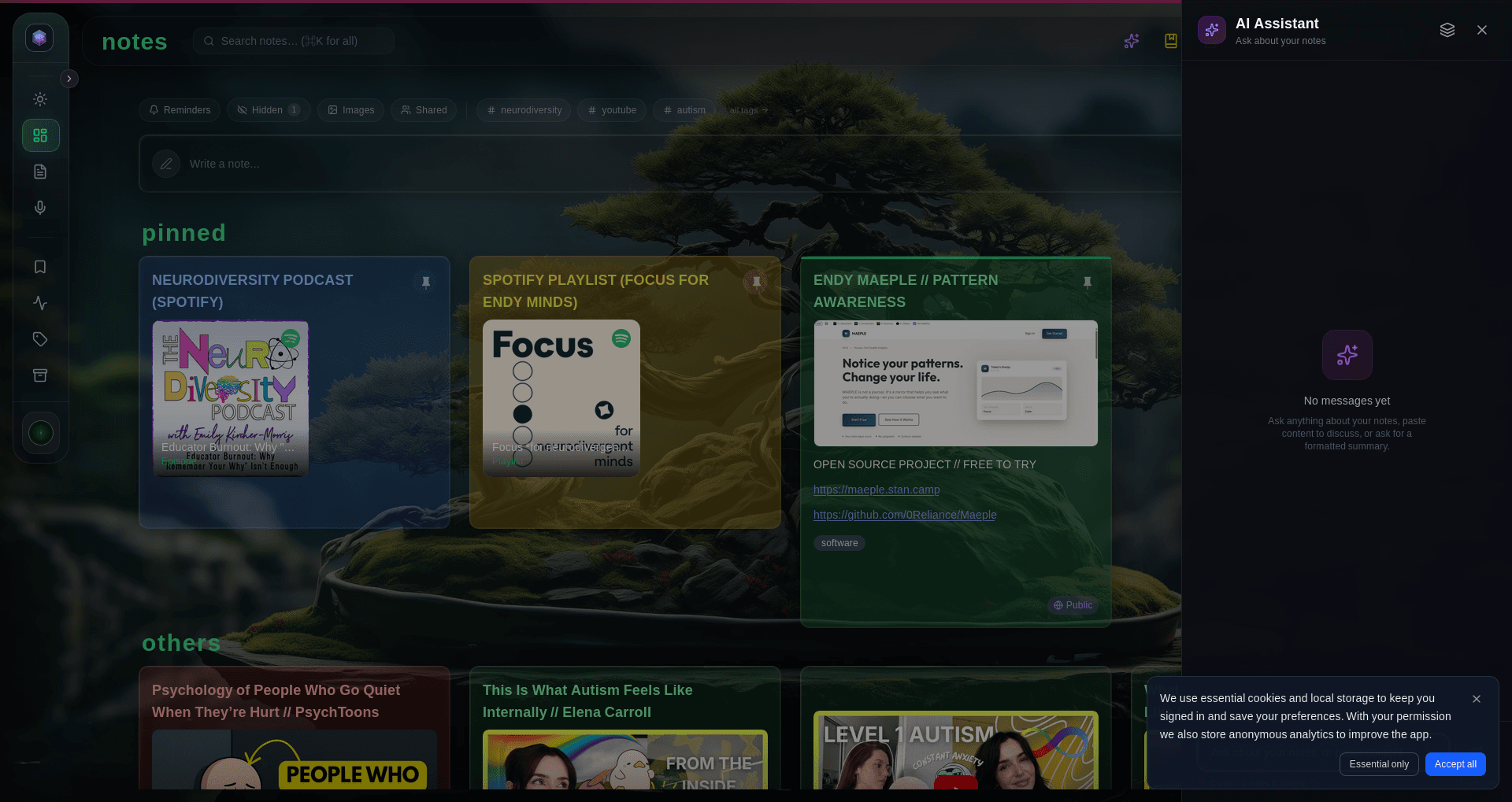
Local Whisper · your audio never leaves the browser
Record a memo, get a clean transcript, let AI lift the action items. The whole pipeline runs on your machine — not a single byte of audio is uploaded.
Text + meaning, in one search
Notes, documents, voice transcripts, bookmarks — ⌘K searches them all at once. Match by exact words or by what you actually meant. If you remember the shape of the idea, Glassy finds the file.
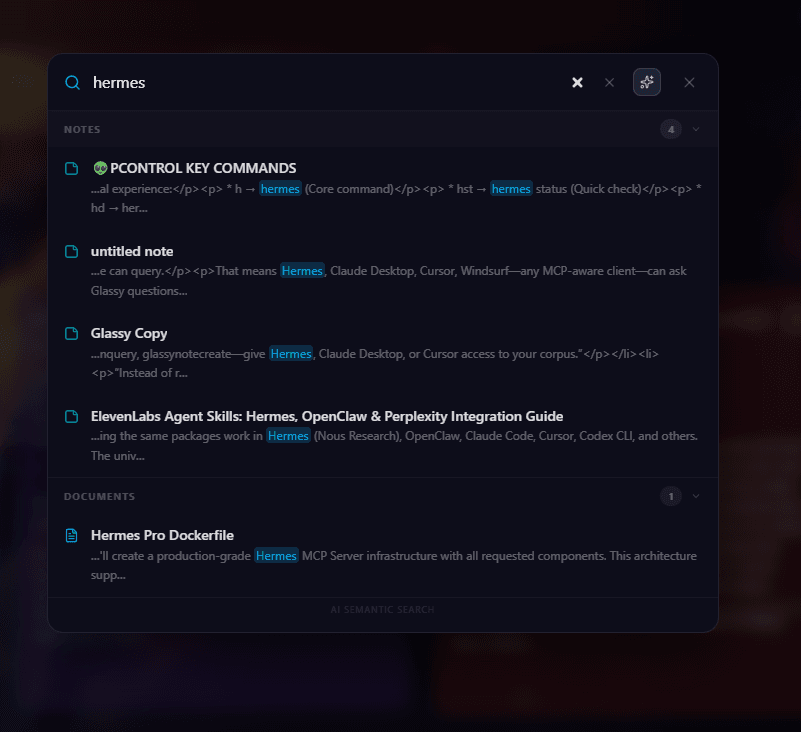
Slash commands, callouts, embeds, doc icons
Press / for headings, callouts, code, and rich embeds. Give each doc its own icon so you spot it instantly. YouTube, Spotify, any media link drops in as a native widget — no more "open in new tab."
A read-later that actually surfaces
One-keystroke save from the Glassy Capture extension. Screenshot any page and embed the image directly in your note. AI auto-tags and summarizes. Smart Collections group by meaning. Search the eight hundred bookmarks you forgot you had — the good ones come back.
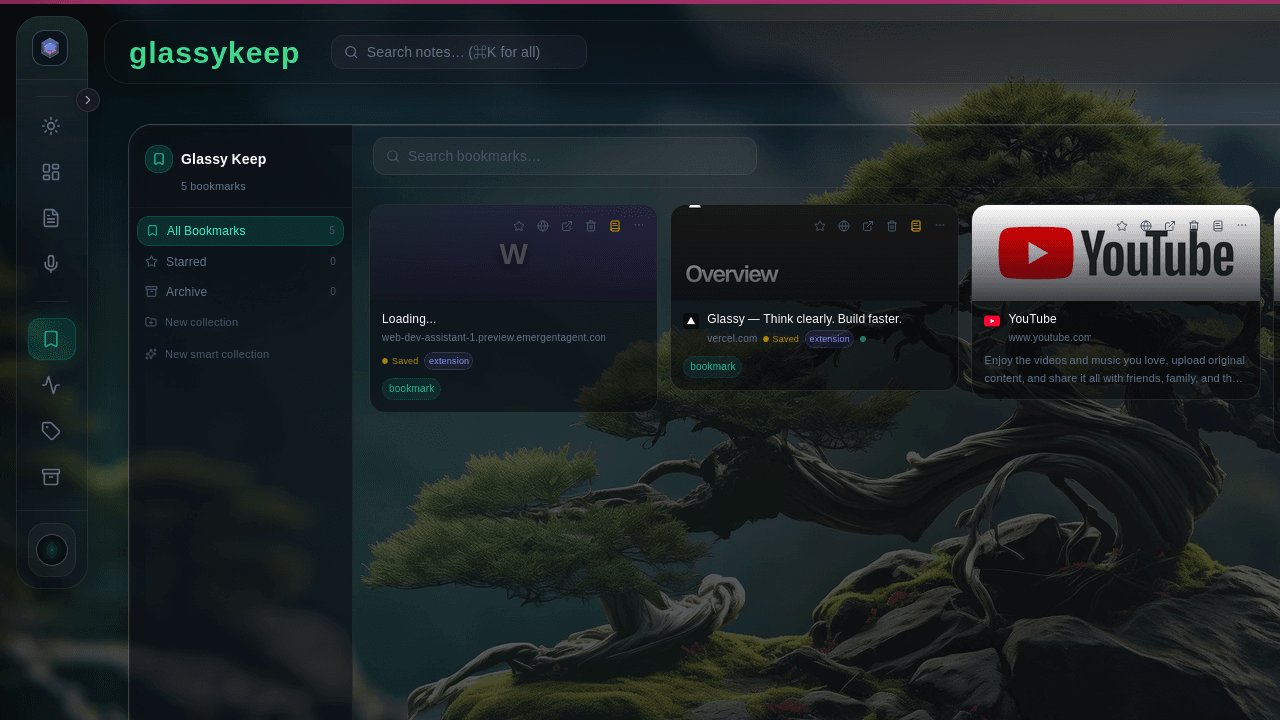
Browse, search, push & pull — the foundation for AI agent memory
Connect your vault and Glassy respects every folder, every wikilink, every frontmatter field. Read and search from any browser. Your files never leave your disk. Now live: query your vault through the Glassy MCP server from Claude, Cursor, Windsurf, OpenCode, Hermes, Openclaw, Pi, or any MCP agent — no separate install.
Real-time multi-cursor collaboration
Invite a friend or a teammate. See cursors fly in sync. No ceremony — just a link and you’re both in the doc.
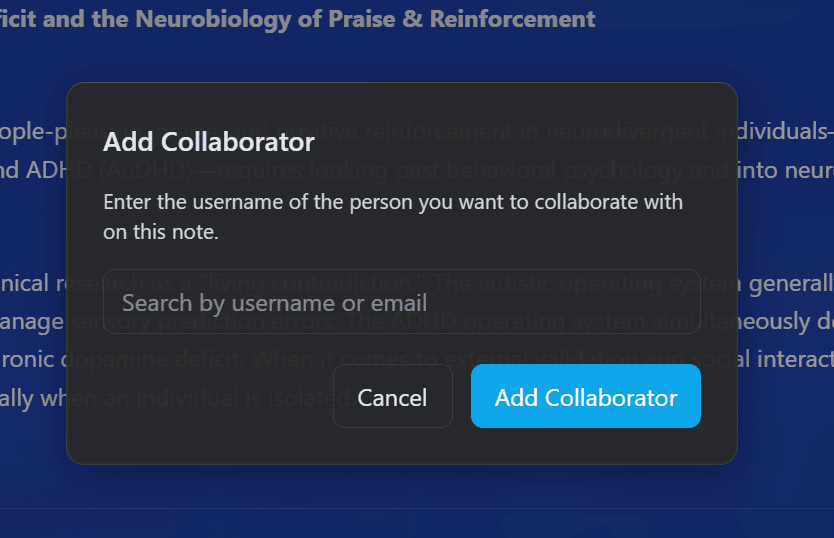
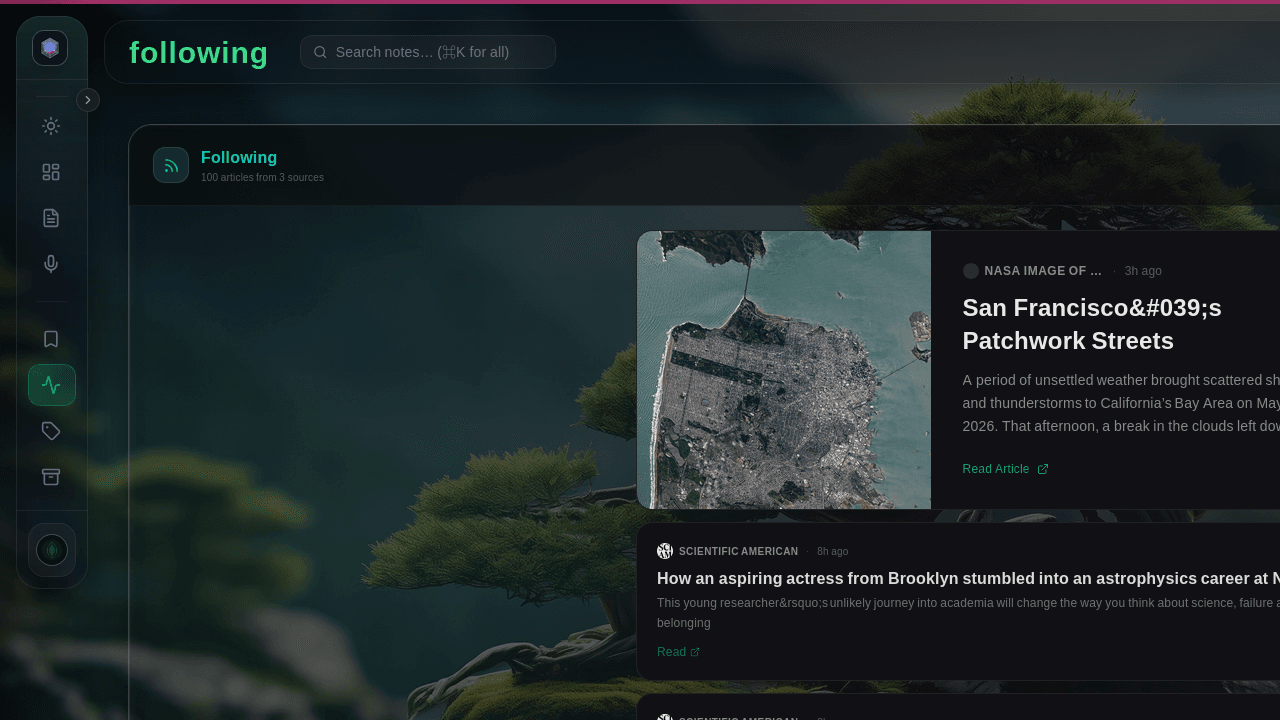
Image-forward feed reader, built in
Curated feeds, custom URLs, or any Public Window. Read on your terms — scroll what you want, when you want, no algorithm telling you to stay.
Agentic
One workspace, one graph, one canvas — for you and your AI agents. The agent doesn't sit outside your work. It sits in it.
Your agent remembers. It saves what you told it as a real note — searchable, graph-linked, and scoped to that agent. Next session it recalls the decision instead of asking again.
It asks before it acts. The review queue shows each choice and its consequence, and the note itself carries the verdict — approved, changes requested, under review.
A canvas for thinking that isn't linear. You and your agent work the same surface.
The agent's work, where you can see it. Plans, dispatches, and reviews — not a black box.
Your knowledge, connected. The graph you browse is the graph your agents query — backlinks, paths, hubs, orphans.
42 tools on the official MCP SDK. On our cloud, one key per account with a tier budget; on your machine, a named key per agent and no budget.
Self-host
Glassy Self-Host is the same Glassy on your own machine — private, local, self-owned, in beta and under active development. The full AI suite, or just a calm workspace. Your server, your keys, your rules.
Ecosystem
Companion apps, skills, and workflows. Clear members get finished code projects and pipelines, ready to run.
Your instant intake. Grab webpages, screengrabs, and quick notes from the app you're already in.
Abilities you add. The ways Glassy learns new tricks.
Routines you repeat. The Glassy Capture Workflow chains capture → organize → summarize.
Built in the open
Glassy is still young. So we would rather show what shipped, what changed, and what the product refuses to do than decorate the page with borrowed certainty.
Glassy is the first app that doesn't punish me for thinking sideways. The Second Brain is the only one that remembers what I meant, not what I typed.
Founding beta tester · Wendy W. · Day 142
Changelog first
Pricing, local AI, privacy, storage, and extension work are written down as they ship, so the story does not drift away from the product.
Second Brain / MCP
Forty-two tools on your own machine, 37 on our cloud — included with every account, Free too. Named per-agent keys, durable agent memory, and a traversable knowledge graph. Every tool is listed in the docs, and the counts are machine-checked against the running build.
No growth tricks
The product is designed for return, not retention hacks: capture first, organize later, and keep the interface quiet by default.
ADHD, autistic, AuDHD — every brain that does its best work in bursts deserves a workspace that doesn’t punish the burst. Glassy’s defaults come from real research on executive function and sensory processing, not productivity Twitter.
Read the design principlesOne keystroke opens a blank page. Voice, sketch, text, clipboard — into the workspace in under three seconds. No empty folders to fill first.
Color-coded cards, emoji icons, distinct shapes, and curated themes. Read the layout, not just the words.
On-device AI cleans up brain-dumps, expands bullets, and turns memos into tasks — without sending your day to a server.
No streaks weaponized against you. No angry red overdue badges. Reduced-motion respected. Archive over delete. Your pace is the right pace.
Most AI tools route your thoughts through someone else’s server. Glassy runs real models inside your browser via WebGPU. No cloud required. No credits consumed. Nothing leaves your machine unless you ask.
Running today
Instruct-tuned local LLMs. Summarize, rewrite, tag — entirely in your browser tab.
On-device speech-to-text. Voice memos arrive as cleanly written notes.
Local embedding models power semantic search and tag clustering without a server.
How it actually works
Models run on your GPU, not someone else's data center.
transformers.js + WebLLM, picked per task for speed.
Glassy picks the smallest local model that handles the job. When a query needs a larger context window or a harder task, it routes to your configured cloud provider — OpenAI, Anthropic, or any OpenAI-compatible endpoint. Cloud is opt-in; you stay in control.
Cached in IndexedDB. Works offline forever after.
On Chrome 138+ with the Prompt API enabled, Glassy uses Gemini Nano — zero download.
Local AI in the browser is bleeding-edge. Models are getting smaller and more capable every month. Browser GPU APIs are still maturing. Here's exactly what's on our radar.
Newer Google open weights designed for on-device use. Native audio input + structured JSON. Transformers.js already supports the architecture — waiting on WebLLM WASM prebuilts to ship (no ETA as of June 2026).
Higher-quality on-device semantic embeddings from Google. Direct upgrade target for the MXBai/MiniLM tier — same 384-dim local pipeline, better recall.
More efficient than Whisper for live transcription. Smaller footprint, designed for streaming audio. Potential drop-in for the Voice Memo pipeline.
The objections we hear most often — answered honestly, in plain English.
Start free. Move to Pro or Clear the moment the full workspace is worth it to you.
Checkout can happen first. Create or sign in with the same email after purchase to claim your workspace.
Every ability. Ten megabytes to keep it in.
The same workspace, with room to keep it in.
≈ $8.33/mo · 2 months free
or $17/ month
Cancel anytime. Data retained 30 days after cancellation.
A private community inside Glassy. Every new tool, first.
≈ $25/mo · the whole community
or $80/ month
Or run Glassy on your own machine — free with any account.
From the blog
MCP has gone from spec to 1,000+ public servers. PKM is the #1 use case. Here is what is real today, what is still broken, and what the 2026 roadmap promises.
Most AI note apps ship your content to a cloud vector database and ask you to trust their privacy policy. Glassy does the opposite: structural privacy, where there is nowhere for your data to go.
An honest review of note-taking and productivity tools designed for ADHD, autism, and other neurodivergent brains. What works, what does not, and why most apps get it wrong.
Where to next?
Your knowledge base, readable by Claude, Cursor, Windsurf, OpenCode, Hermes, Openclaw, Pi, and any MCP agent.
Draft, outline, and structure without leaving your flow.
Note-taking, reading lists, and research — all connected.
Save bookmarks, captures, and highlights from any page.
Browse and search your vault from any browser.
Designed for ADHD, autistic, and AuDHD brains.
Free forever, Pro for the whole workspace.
Reference guides, keyboard shortcuts, and troubleshooting for every feature.
Guides, tutorials, and tips for getting the most out of Glassy.
Start capturing and thinking in under ten seconds.