Obsidian is a superb local editor. But when you need browser access, semantic search, MCP integration, or capture from a browser extension, the vault hits a wall. Glassy does not replace Obsidian — it syncs with it. Your vault stays intact. You just get a second interface that adds capabilities Obsidian cannot match. Here is how the migration works.
You are not leaving Obsidian
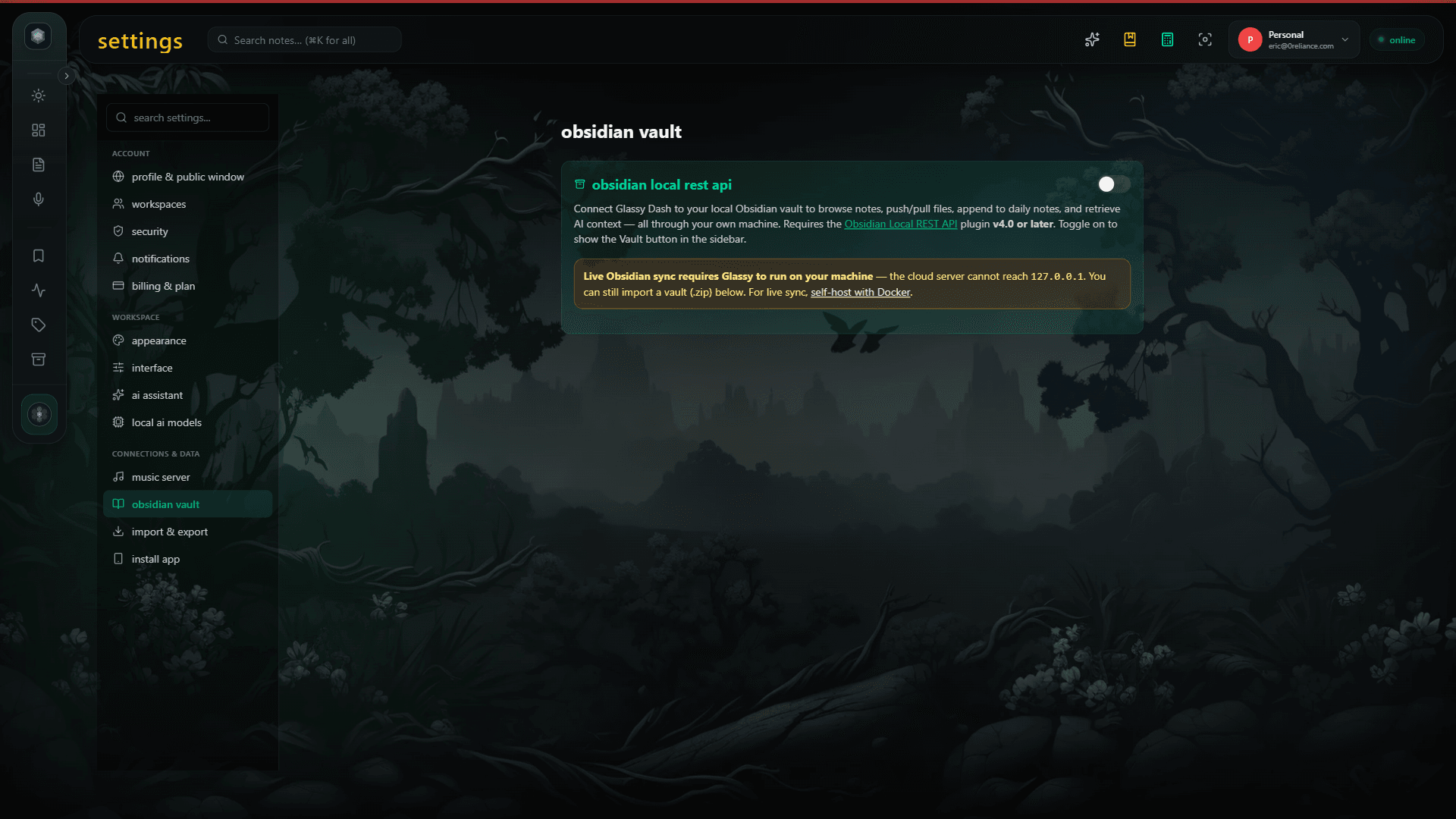
The first thing to understand: Glassy does not ask you to abandon your vault. Glassy syncs bidirectionally with your Obsidian vault via the local filesystem. Your Markdown files, wikilinks, and frontmatter all survive the round-trip. You can keep using Obsidian on your desktop. Glassy adds a web interface, browser extension capture, local AI, and an MCP server on top of the same content. See our Obsidian sync guide for the technical details.
For a comparison of three approaches to accessing Obsidian in a browser, see Obsidian in the browser: 3 paths in 2026.
What syncs
- Markdown content — Full note text, including headings, lists, code blocks, and tables. Round-trips perfectly.
- Wikilinks —
[[note title]]syntax is preserved and resolved in Glassy's web interface. - Frontmatter — YAML frontmatter (tags, aliases, dates, custom fields) is parsed and indexed. Tags become searchable facets.
- Attachments — Images and PDFs referenced in notes are synced and viewable in the web interface.
- Folder structure — Your vault's folder hierarchy is preserved as a navigable tree in Glassy.
What you gain
Once your vault is synced, Glassy adds capabilities that Obsidian alone cannot provide:
- Hybrid search — BM25 keyword search plus vector semantic search, fused with RRF. Find notes by meaning, not just by exact words. See how it works.
- Browser access — Read and edit your vault from any browser. No desktop app required. See Glassy for Obsidian users.
- Browser extension capture — Save web content directly into your vault with the Glassy Capture. Articles, videos, repos, research papers — all as Markdown.
- MCP server — Expose your vault to Claude Desktop, Cursor, Windsurf, OpenCode, Hermes, Openclaw, Pi, and any MCP-compatible AI agent. Ask AI agents about your notes and get cited answers.
- Local AI — Summarize, expand, rewrite, and auto-tag notes with Qwen 2.5 running in your browser via WebGPU. No API keys, no cloud. See local AI vs cloud AI.
- Related Notes — Semantic recommendations powered by local embeddings. "On Device" badge, no server round-trip.
- Voice capture — Voice Studio transcribes audio locally with Whisper and saves it as a note in your vault.
Step-by-step migration
1. Connect your vault
In Glassy, go to Settings → Integrations → Obsidian. Enter the path to your vault directory (or the Obsidian host override if your vault is on a remote machine). Glassy will scan the directory and index all Markdown files.
2. Wait for initial indexing
The first sync indexes your entire vault — BM25 in SQLite FTS5, and vector embeddings via mxbai/MiniLM running in your browser. For a vault with 1,000 notes, this takes about 2-3 minutes. The progress bar in the knowledge base view shows indexing status.
3. Verify the sync
Open a few notes in Glassy's web interface. Check that wikilinks resolve, frontmatter is visible, and folder structure matches your vault. Edit a note in Glassy and confirm the change appears in Obsidian. Edit a note in Obsidian and confirm it appears in Glassy.
4. Install the browser extension
Install the Glassy Capture extension. Captures from the extension will now flow into the same corpus as your Obsidian vault. You can search across both from any interface.
5. Connect an AI agent
Generate an MCP key in Settings and connect Claude Desktop or Cursor. Now you can ask AI agents about your entire vault — "What did I write about stochastic gradient descent last month?" — and get answers with citations back to your original notes.
What does not sync
A few Obsidian features do not have equivalents in Glassy:
- Obsidian plugins — Community plugins (Dataview, Templater, Excalidraw) are Obsidian-specific. Glassy does not execute plugin code. Notes that rely on plugin-rendered content will show the raw Markdown.
- Canvas files — Obsidian Canvas (.canvas) is a proprietary JSON format. Glassy does not render Canvas boards.
- Graph view — Obsidian's interactive graph visualization is unique to the desktop app. Glassy provides Related Notes (semantic recommendations) as an alternative way to discover connections.
None of these prevent you from using both tools. Your vault remains fully functional in Obsidian. Glassy adds a layer on top — it does not remove anything.
The result
Your Obsidian vault is unchanged. But now it is also accessible from any browser, searchable by semantic meaning, captureable from the web, and queryable by AI agents. The vault that was trapped on your desktop is now a living knowledge base.