Obsidian is local-first by design. Your vault is a folder of Markdown files on your machine. But there is a growing demand for browser access — corporate laptops that block installations, travel without a personal computer, quick edits from a phone. In 2026, three real paths exist for running Obsidian in a browser. Each takes a fundamentally different approach.
Path 1: Ignis — Electron API shims
Ignis is a compatibility shim that provides browser-compatible implementations of the Electron APIs Obsidian expects. The Docker container downloads Obsidian directly from its official source on first run. Obsidian does not know it is not running in Electron.
How it works: Every Node.js and Electron API — fs, ipcRenderer, path, crypto — is replaced with lightweight shims that translate to HTTP requests. The vault lives on the server. Obsidian's renderer runs unmodified in the browser.
Strengths:
- Real Obsidian — every feature, every plugin, unmodified
- Multi-vault support with browser tabs
- Live sync between tabs via WebSocket
- Active development, used as a daily driver
Limitations:
- Requires HTTPS for crypto and clipboard APIs to work
- Self-hosted only — you run the Docker container
- No built-in AI, no MCP server, no browser extension capture
- Community plugins that use Node.js APIs may break
Path 2: obsidian-web — Preloaded bootstrap
obsidian-web takes a similar shim approach but optimizes the boot path. Instead of Obsidian reading config files one by one from disk, everything is served in a single HTTP request — all files, directories, and metadata arrive at once before Obsidian starts running.
How it works: A /api/bootstrap
endpoint preloads vault content into memory. When Obsidian calls statSync
or readFileSync, the answer is already waiting.
Strengths:
- Fast boot — potentially faster than the desktop app
- Cloudflare Workers deployment option for edge hosting
- Real Obsidian renderer, unmodified
Limitations:
- Experimental — proof of concept stage
- No auth layer by default — do not expose publicly
- No AI, no MCP, no capture pipeline
- Cloudflare Durable Object resets vault periodically on the demo
Path 3: Glassy — Vault proxy with AI
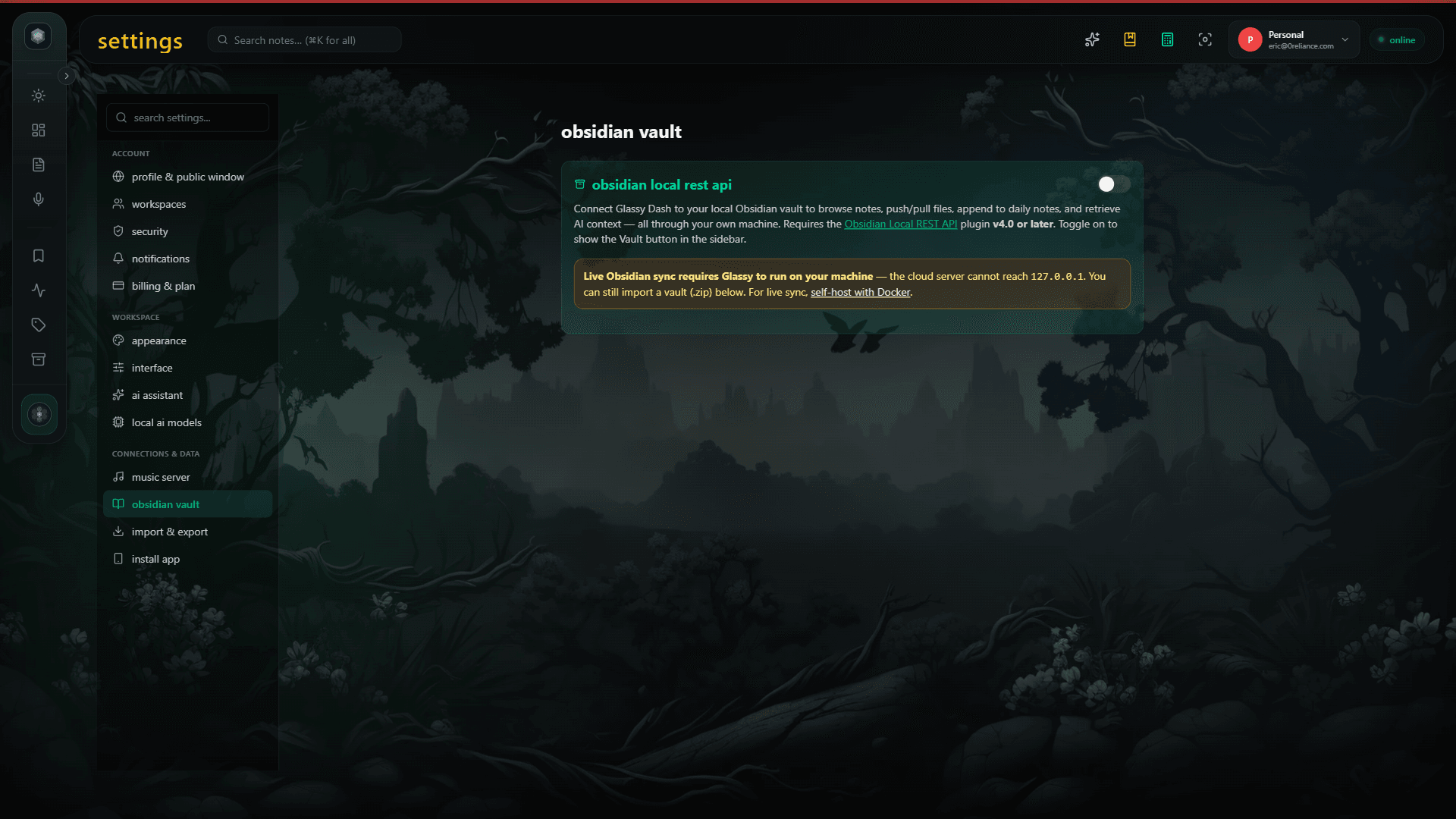
Glassy takes a different approach. Instead of running Obsidian's renderer in the browser, Glassy syncs with your Obsidian vault and provides its own web interface for browsing, editing, and querying your notes. Your Markdown, wikilinks, and frontmatter all survive the round-trip. See our Obsidian sync guide for the technical details.
How it works: Glassy connects to your Obsidian vault via the local filesystem (Obsidian must be running on the same machine or network). Changes sync both ways. You get a web interface, a browser extension for capture, local AI for transcription and summarization, and an MCP server that exposes your vault to Claude, Cursor, Windsurf, OpenCode, Hermes, Openclaw, Pi, and any MCP-compatible AI agent.
Strengths:
- Hosted — no Docker, no self-hosting required
- Two-way sync with Obsidian — your vault stays the source of truth
- Built-in local AI (WebGPU) for transcription, summarization, auto-tagging
- MCP server exposes your vault to AI agents — no separate community plugin needed
- Browser extension captures web content directly into your vault
- Hybrid BM25 + vector search across your entire vault
- Voice Studio for audio capture and transcription
Limitations:
- Not full Obsidian — no graph view, no community plugins, no Canvas
- Sync requires Obsidian to be running on a connected machine
- Pro tier needed for vault sync
Which path is right for you?
| Approach | Setup | Full Obsidian | AI / MCP | Capture |
|---|---|---|---|---|
| Ignis | Docker, HTTPS | Yes | No | No |
| obsidian-web | Docker / CF Workers | Yes | No | No |
| Glassy | Hosted, 2 min | Proxy | Yes | Extension + voice |
Choose Ignis if you want the full Obsidian experience in a browser and are comfortable running Docker with HTTPS. It is the most faithful reproduction.
Choose obsidian-web if you want to experiment with edge-hosted Obsidian and are comfortable with early-stage software.
Choose Glassy if you want browser access plus AI, MCP integration, web capture, and voice — without running infrastructure. Your vault stays in Obsidian; Glassy adds the layers Obsidian does not have.