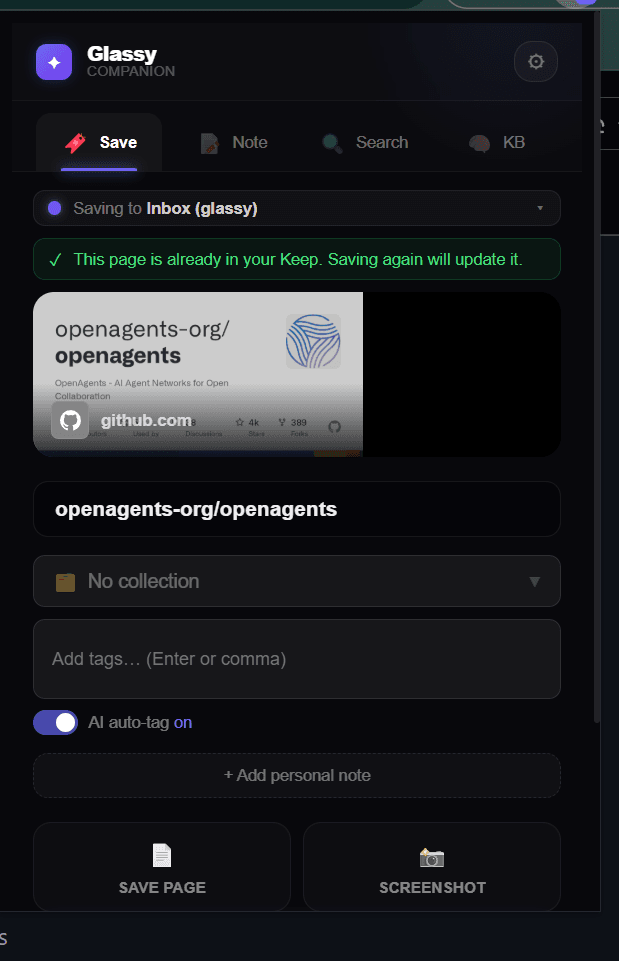
The Glassy Capture is the capture layer of Glassy's research capture loop. It lives in your browser, extracts content from web pages, and sends it to Glassy as structured Markdown. For a comparison with other extensions, see Browser extension showdown. This post goes deeper — into the architecture, the capture types, and the technical decisions.
Architecture
The extension uses Chrome's Manifest V3 architecture with three execution contexts:
- Service Worker — The background script. Handles capture requests, manages auth tokens, and coordinates between the popup, content scripts, and the Glassy server. Stateless — Chrome can terminate and restart it at any time.
- Content Scripts — Injected into web pages. Run Readability extraction, detect page type (article, video, repo, research paper), and capture selected text or screenshots.
- Offscreen Documents — Used for region screenshot cropping. The service worker delegates image cropping to an offscreen document that has access to canvas APIs, scales the rect by device pixel ratio, and clamps to image bounds for HiDPI accuracy.
The eight capture types
The extension detects the page type and applies the appropriate extraction strategy:
- Article — Full text extraction via Readability, preserved as Markdown. Captured content is stored persistently so the reader view works even if the original page goes offline.
- Video — YouTube and Vimeo transcripts with timestamps. The transcript is extracted from the page's caption track, not from audio, so it is exact.
- Repository — GitHub repo metadata, README content, and file tree. Captures the description, stars, language, and license alongside the README.
- Product — Product pages with pricing and specifications. Extracts structured data from schema.org Product markup when available.
- Research — Academic papers. Extracts abstract, authors, DOI, and publication date from the page metadata.
- Highlight — Selected text with surrounding context. Right-click any selection and choose "Save to Glassy."
- Screenshot — Full page or selected region. Region screenshots use the offscreen document for HiDPI-accurate cropping. Screenshots become notes (not bookmarks) because the payload is the image itself.
- Bookmark — URL and page title only. The lightest capture type, used when you just want to save a link.
Reader mode: captured-content-first
Glassy's reader view (the "Keep" page) is captured-content-first. When you open a captured
article, the extension checks for stored content_markdown.
If it exists, the reader renders from that — no live fetch needed. This means:
- The article is readable even if the original site goes down, paywalls the content, or changes the URL.
- The reader view loads instantly — no network round-trip.
- You can add a
?refresh=1parameter to force a live re-fetch via Readability, which then persists the updated content.
Structured images
Captures send structured image data — {url, src, name, width, height}
— to the Glassy server. The server writes these to the note's images_json
field. In the app, images render with a hero image and lightbox viewer. Screenshots use
object-contain on a
dark background for readability. When a hero image is present, inline img
tags are stripped from the preview to avoid duplication.
Auto-tagging
When a capture arrives at the Glassy server, it is auto-tagged by the AI classification service. Tags are generated based on the content and metadata of the capture. For self-hosted Clear instances, auto-tagging runs server-side. The tags become searchable facets in the knowledge base.
MCP bridge
The extension includes an MCP bridge feature that allows companion-initiated MCP token exchange. This lets the extension authenticate MCP queries on behalf of the user, enabling tighter integration between the browser and AI agent workflows. See how the MCP server works for the server-side details.
Privacy
The extension sends captured content to your Glassy instance (hosted or self-hosted). It does not send content to any third party. Auto-tagging classification runs on the Glassy server, not on an external AI API. For self-hosted Clear deployments, everything stays on your infrastructure. See privacy-first AI in practice.